
Built for existing recordings
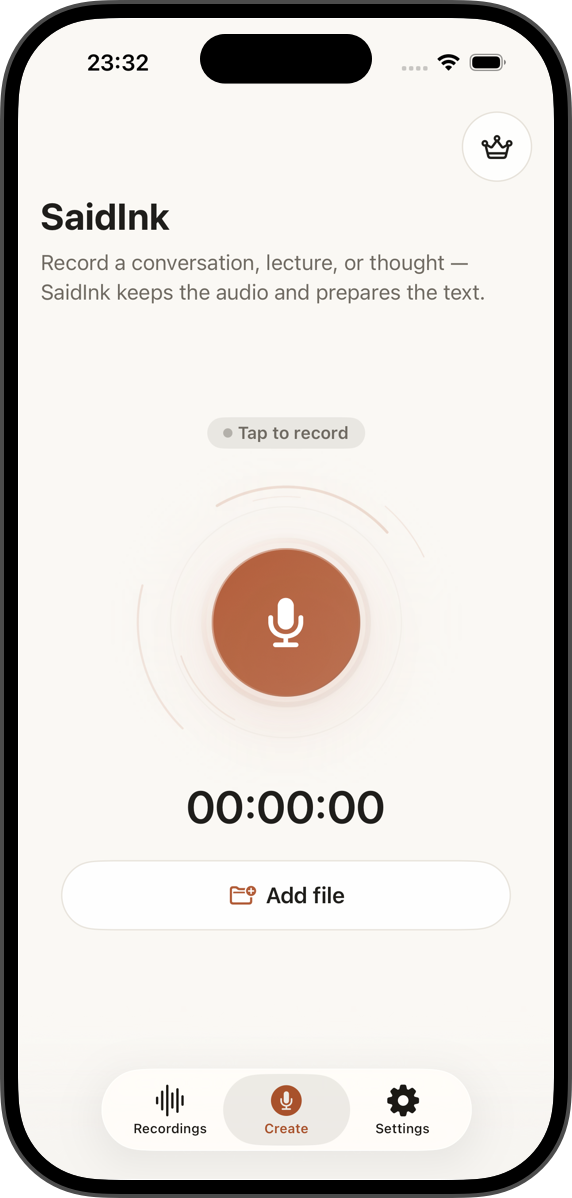
Start from Files, Voice Memos, Photos/video, shared audio, or a fresh recording. Imports are saved locally before transcription setup begins.
 SaidInk
Audio to text for private transcript work
Turn recordings, Voice Memos, interviews, lectures, podcasts, and audio/video files into private transcripts you can edit, verify against the source audio, search, and export as TXT, SRT, or WebVTT.
Import-first
Local transcription after SaidInk Local AI installation
Timestamp verification
TXT, SRT, and WebVTT export
Use cases
Each path shows how SaidInk handles a real workflow without turning private source audio into a cloud workspace.
Turn recorded interviews into editable transcripts, save important quotes, and replay the source moment before publishing.
Voice MemosMove recordings and rough notes into a searchable transcript library with local AI quality transcription after download.
SubtitlesImport podcasts, clips, lectures, and videos, review timestamped text, then export SRT or WebVTT when you need captions.
PrivacyUnderstand what stays local, when network access is used, and how SaidInk avoids account and analytics overhead.
Why it exists
A draft is useful only when you can find the moment, check the wording, fix the text, save the quote, and send the right format without uploading sensitive audio to a meeting bot.
Start from Files, Voice Memos, Photos/video, shared audio, or a fresh recording. Imports are saved locally before transcription setup begins.
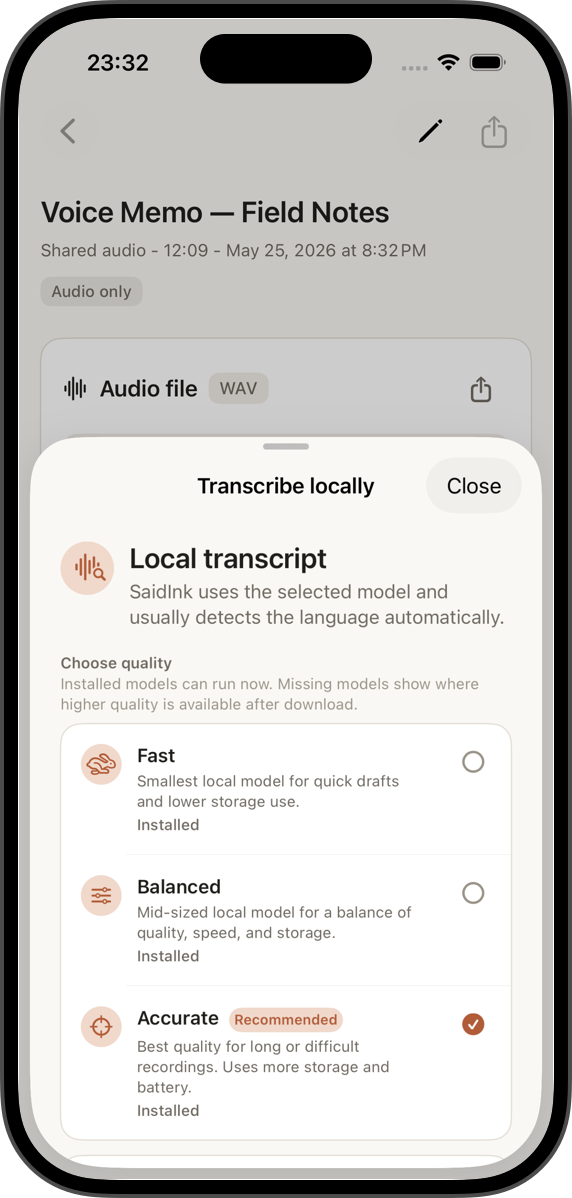
Fast, Balanced, and Accurate presets make AI quality choice visible. Downloads are user-initiated, size-aware, and validated before SaidInk Local AI is marked ready.
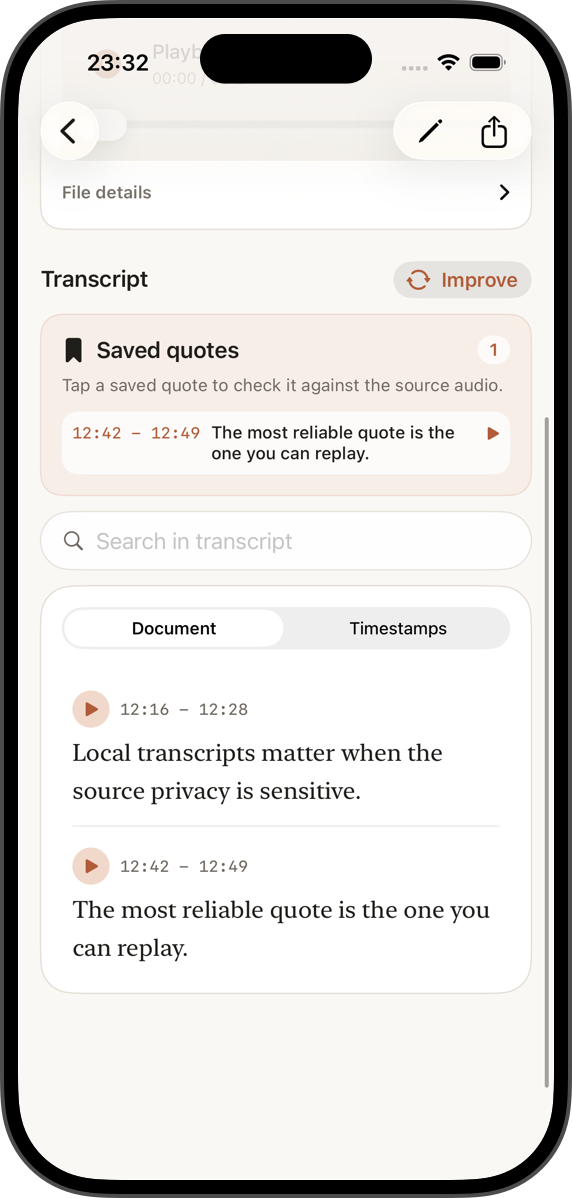
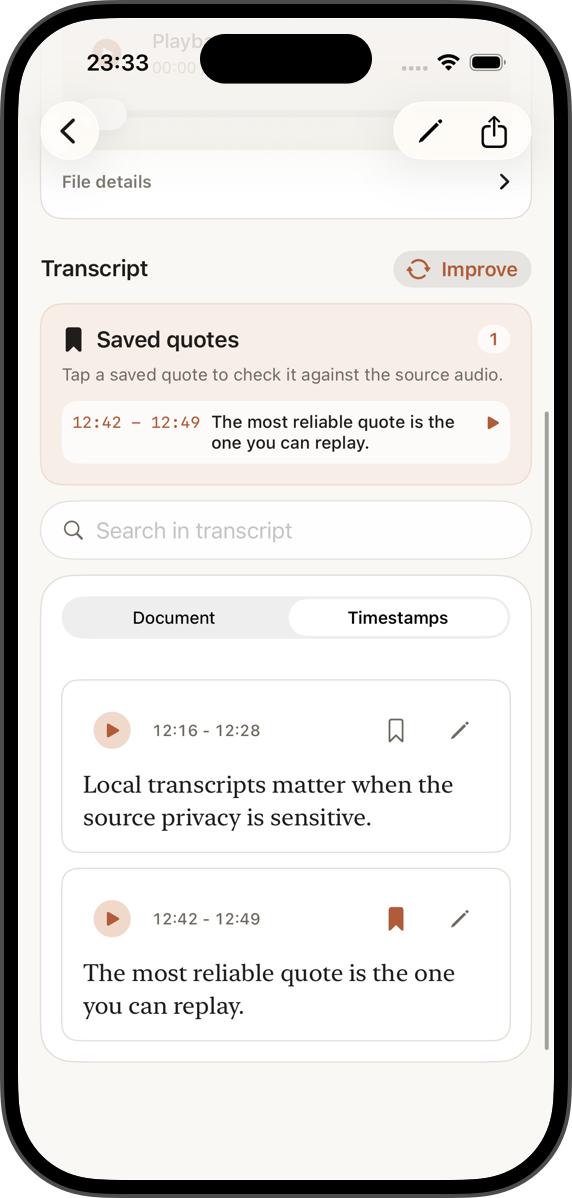
Document mode keeps text readable; Timestamps mode keeps the source moment close. Saved quotes link back to playback, not just copied text.
Workflow
Record directly, pick audio/video from Files, or use Share Extension handoff for existing recordings.
Choose an AI quality preset and transcript language. Auto-detect stays the default when the engine supports it.
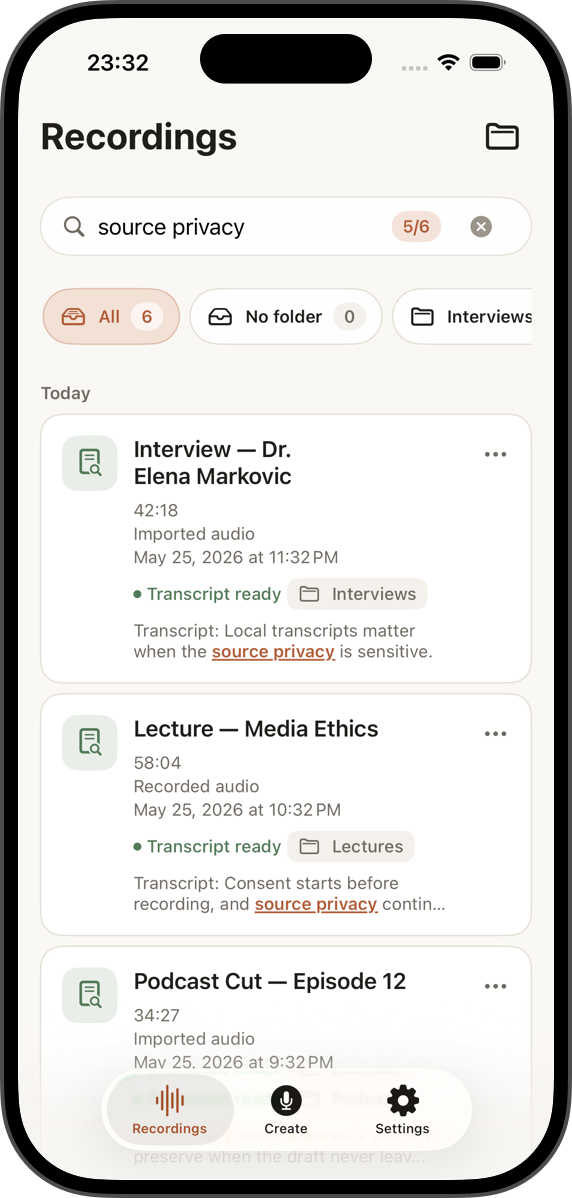
Search inside recordings, edit segments inline, keep original text, and jump to playback from timestamps.
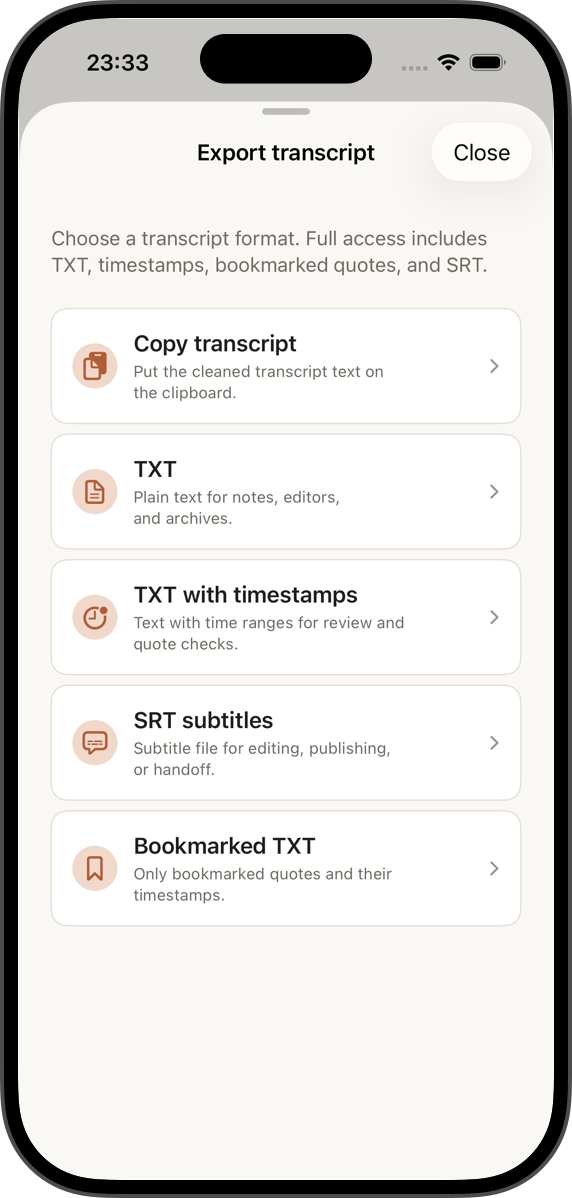
Copy text, export plain TXT, timestamped TXT, bookmarked quotes, SRT, or WebVTT subtitles through iOS sharing.
Real app screens
These are current app captures placed in the same iPhone frame used for the Store screenshot renderer.
Who it helps
Keep source audio local, search the archive, bookmark usable quotes, and replay the exact moment before publishing.
Import episodes or video clips, review the text, then export subtitles or timestamped notes for editing and publishing.
Turn lectures, field notes, and interviews into searchable documents without turning every conversation into a cloud upload.
Privacy stance
SaidInk is designed around local files, local AI quality transcription after download, and user-controlled exports. Internet access is used for SaidInk Local AI installation, Apple purchases/restore flows, and explicit system services the user chooses.
No SaidInk account required
No analytics or advertising SDKs
No cloud transcription on SaidInk servers
Purchases handled through Apple StoreKit 2
Product depth
Auto plus manual transcript choices cover EN, RU, UK, PL, TR, DE, FR, ES, IT, PT, NL, SV, DA, FI, and NO. App UI is staged across EN, RU, UK, PL, DE, FR, ES, IT, PT-BR, NL, and TR.
New installs start with 14 days of full access. After that, Free keeps recording, import, copy, TXT, timestamped TXT, library search, editing, and 15 minutes/day of transcription. Pro unlocks unlimited local transcription, SRT, WebVTT, and bookmarked quote export.
Transcription errors keep audio intact. Long files use chunks and checkpoints; imports are saved as local recordings before the transcript workflow starts.
Access and Pro
Trial and Pro copy stays plain: purchases are handled by Apple, restore is available, and basic text export remains useful after the trial.
15 min/day
Daily local transcription allowance after the 14-day full-access start.
Monthly or annual
For long recordings, subtitle work, quote workflows, and heavier local transcription.
Available now
Download SaidInk from the App Store, import or record audio, install the local AI quality you want, and review the transcript beside its source before you export it.