
Audio/video import
Bring in supported local audio and movie files from iOS sources.
 SaidInk
Audio and video to SRT
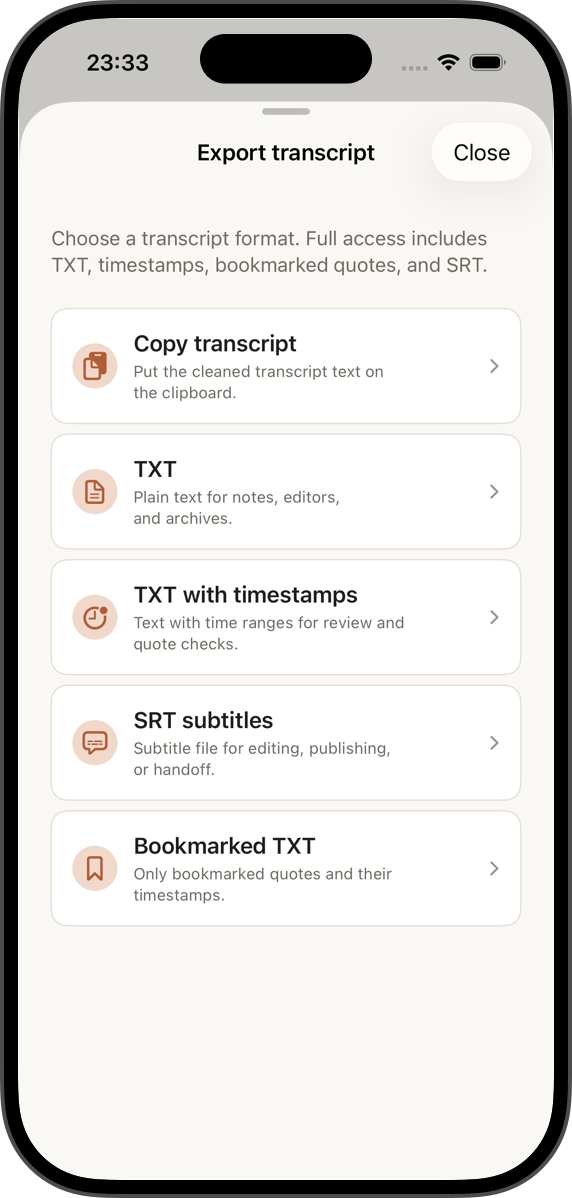
SaidInk imports recordings and supported video files, creates a local transcript after SaidInk Local AI installation, lets you review timestamped text, and exports SRT subtitles when Pro access is active.
Bring in supported local audio and movie files from iOS sources.
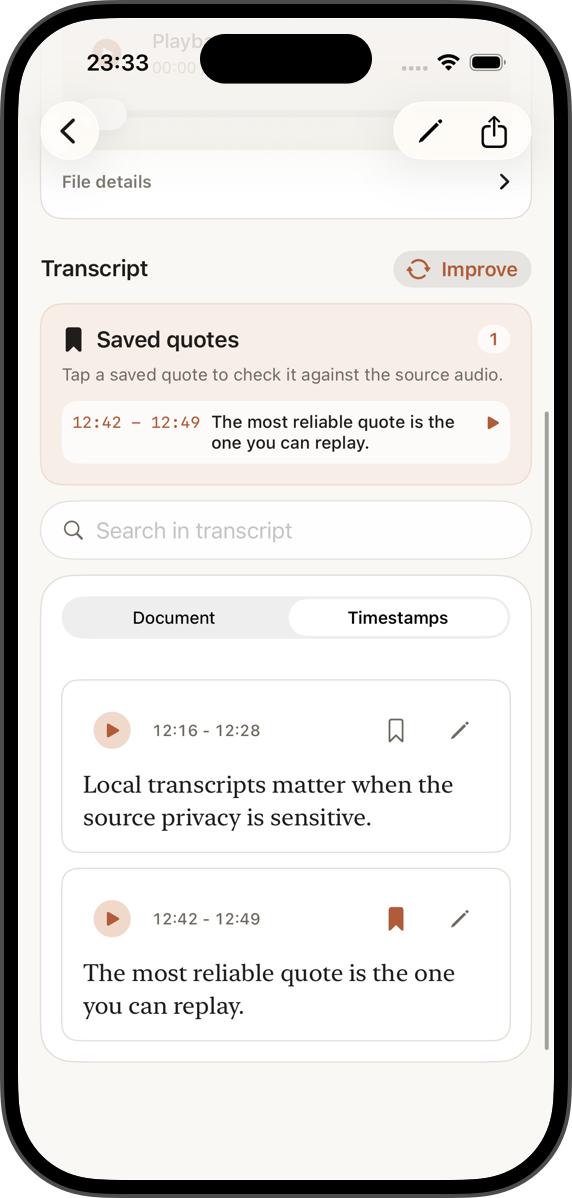
Check transcript segments against playback before export.
SRT export is available during full access or with Pro.
For creators
Fast captions are useful only if you can review what the transcript actually heard. SaidInk keeps subtitle work tied to the recording, so the text can be checked before it leaves the app.
Use SRT for podcast clips, lecture recordings, rough video captions, interviews, and creator workflows where a reviewed transcript matters more than a one-click black box.
Flow
SaidInk can import supported audio and video files, extracting audio where needed for transcription.
Choose the AI quality preset and transcript language, with auto-detect as the default path when supported.
Use timestamped rows to replay the source and fix transcript text before generating subtitle output.
Share SRT or WebVTT through the iOS export flow. Keep TXT or timestamped TXT when captions are not needed.
Caption reality
Automated subtitles still need human checking. Background noise, overlapping voices, names, language switches, and poor microphones can all affect text and timing.
Exports
New installs get 14 days of full access. After that, Free keeps copy, TXT, timestamped TXT, editing, search, import, recording, and a daily transcription allowance; SRT and WebVTT export belong to Pro.